
EN
Payments and payment methods
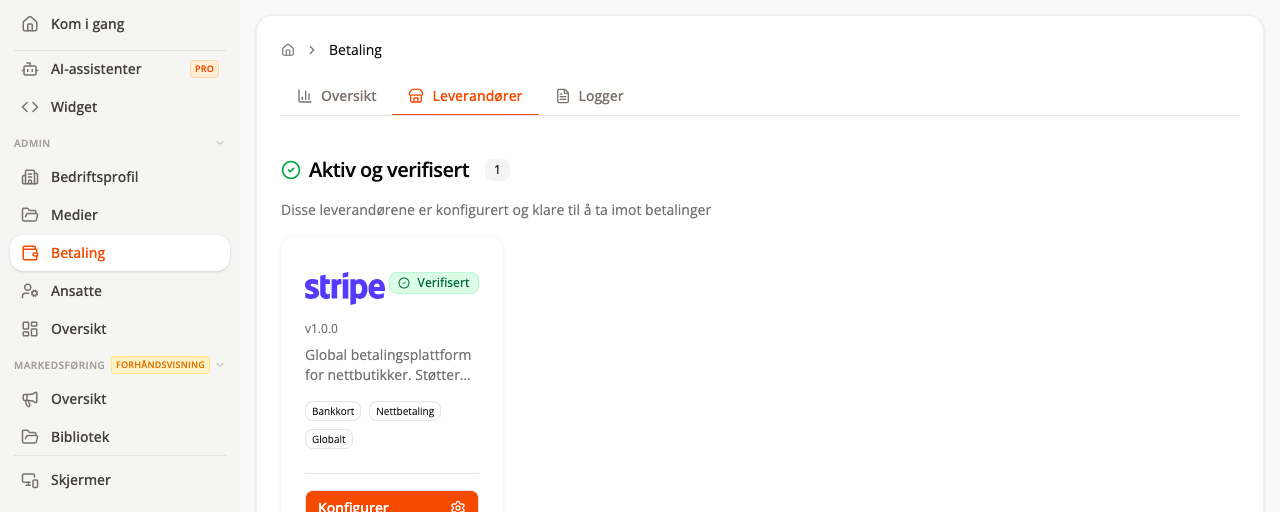
Go to Admin → Payments to view payment analytics, providers, and logs. Only connect accounts that belong to the business you are administering.
Prerequisites
- You have selected a payment provider and have the required account details or keys.
- You have a customer journey in which you can test the payment flow in a controlled manner.
What you will learn
- how providers, payment methods, and sales channels work together
- how to connect a provider and check its status
- how to use logs and distinguish between payment, refund, and settlement
The complete payment flow
The flow has four distinct checkpoints: the customer approves the payment, the amount is authorized, the amount is captured, and the provider pays out to the bank account. A return from the provider’s payment page is therefore not, by itself, proof that the order has been paid.
In text form, the process is:
- Configure and verify the provider.
- Enable the payment method in the sales channel that will use it.
- The customer submits the order, and Finta.no saves it before the payment is completed.
- The provider processes the payment and sends the status back asynchronously.
- Finta.no reconciles the result from the webhook or status check before marking the order as paid.
- The provider processes any refund and bank settlement later.
Choose a provider
Open the Providers tab. Availability depends on country, industry, and subscription. Finta.no may show providers including:
| Provider | Typical use |
|---|---|
| Vipps/MobilePay | Mobile and online payments in the Nordic countries |
| Stripe | Cards, Apple Pay, and Google Pay online |
| SumUp | Physical card terminals and point of sale |
| Klarna | Online payment and buy now, pay later |
| Nets | Nordic online and terminal solutions |
Connect a provider
- Select Add integration or Configure.
- Read which accounts, agreements, or keys the provider requires.
- Complete the provider’s sign-in or onboarding process.
- Return to Finta.no and check the status.
- Enable only the payment methods that the business actually offers.
- Perform a controlled test payment before sharing the solution with customers.
Some providers require approval before their status becomes active. Wait for approval instead of creating several parallel integrations.
Payment methods and channels
Check that the correct method is active for the correct channel:
- online ordering and widget
- physical point of sale or terminal
- event stand sales
- any invoice or payment on arrival
An active provider does not automatically mean that every method is enabled in every channel.
Use logs when troubleshooting
Open Logs to check status and timestamps. Note the error text, order number, and provider before contacting support, but do not send complete keys, tokens, or card data.
Common checks:
- is the provider active and verified?
- is the customer using a supported method?
- are the amount and currency valid?
- has the order already been paid, cancelled, or expired?
- does the environment match test or production?
Refunds and settlements
A refund is normally initiated from the relevant order and requires the transaction to have been captured. The request may initially appear as pending while the provider processes it.
Cancelling an order is not the same as refunding the payment. Check both statuses when cancelling a paid order.
The settlement time is determined by the payment provider and is not the same as the time the customer pays. Finta.no does not have a general Pay out now action in this flow.
Security
Never share API keys, secrets, sign-in codes, or complete payment data in screenshots or support messages. Use the provider’s secure connection flow.
Next step
Test payments in Widgets and going live and read Orders and order settings for refunds.
Flowchart
flowchart TD
  accTitle: The complete payment flow from provider setup to settlement
  accDescr: The flow shows payment provider verification, customer payment, asynchronous confirmation, order status, refunds, and bank settlement.
  A["The business configures the provider"] --> B["The provider verifies<br/>the account and identity"]
  B --> C{"Status verified?"}
  C -- "No" --> D["Correct the account, agreement, or keys"]
  D --> B
  C -- "Yes" --> E["Enable the method in the correct sales channel"]
  E --> F["The customer submits the order"]
  F --> G["Finta.no calculates and saves the order"]
  G --> H["The provider creates the payment"]
  H --> I["The customer approves with the provider"]
  I --> J["A webhook or status check<br/>reconciles the result"]
  J --> K{"Payment result"}
  K -- "Cancelled or failed" --> L["The order is not marked as paid"]
  K -- "Processing" --> J
  K -- "Authorized" --> M["The amount is awaiting capture"]
  M --> N["Capture"]
  K -- "Captured" --> O["The order is marked as paid"]
  N --> O
  O --> P["The business fulfils the order"]
  O --> T["The provider follows<br/>its settlement schedule"]
  O --> Q{"Should the payment be refunded?"}
  Q -- "Yes" --> R["The business submits a refund request"]
  R --> S["The provider processes the refund"]
  Q -- "No" --> V["No refund"]
  S --> U["Refund completed by the provider"]